QR card
Your card, one scan away.
Your Meetwell card has its own QR code. People point their phone camera at it and your card opens. No app, no typing.
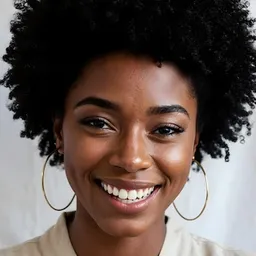
Amara Okafor
Product Designer · Studio North
Designing calm, useful software. Always up for a coffee chat about design systems.
Scan to connect
How it works
QR card in three steps.
Step 1
Make your card
Add your photo, title, company, a short bio and the ways people can reach you.
Step 2
Share your QR code
Show it on your phone, print it, or put it on a slide. The code never changes.
Step 3
They save you in one tap
Your card opens in their browser and saves straight to their phone's contacts.
Good to know
More from Meetwell
There's more to meeting people than one scan.
- Icebreaker
Start a conversation
CollaborateLearn from themOffer my servicesFollow up after meetingHi Amara, your work as a Product Designer at Studio North caught my eye. I'd love to explore a project together.Hi Amara, I came across your profile and your work as a Product Designer at Studio North caught my attention. I noticed you're open to networking — I'd love to explore whether there's a project we could work on together.Copy messageTry anotherA ready-made first message, so people actually say hello.
Learn more - Contacts
Contacts
Export all- Amara OkaforProduct Designer · Studio NorthMet at the fintech meetupSave to phone
 Tunde BelloML Engineer · BrightwaveWants to talk about data teamsSave to phone
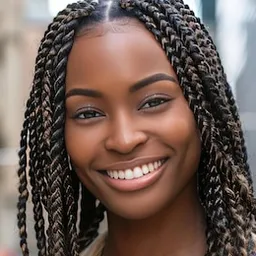 Kemi EzeFounder · Loop HealthSave to phone
Everyone you meet, kept in one place with a note.
Learn more - Mentoring

Chidi Nwosu
Engineering Manager · Brightwave
Joined 2026
9 years building payment teams. I help engineers grow into leads.
Open to mentoring
Save contactMessage Chidi · ₦5k/monthin/chidinwosu@chidibuildsShare what you know and get paid for it.
Learn more - Analytics
Last 30 days
▲ 24% viewsCard views202QR scans91Saved you34Views per day · anonymous totals only
See how many people viewed, scanned and saved your card.
Learn more - Events
Event · 5 Dec · Lagos
Design Day 2026
Speakers
- Amara OkaforProduct Designer · Studio NorthBadge QR
- Tunde BelloML Engineer · BrightwaveBadge QR
Your card on the speaker page and on your badge.
Learn more